

DXPR CMS features the first enterprise-grade AI content system with free access to all major AI providers (OpenAI, Claude, MistralAI, Google Gemini, XAI, Perplexity) through DXPR AI, delivering unmatched speed and reliability for visual content creation.
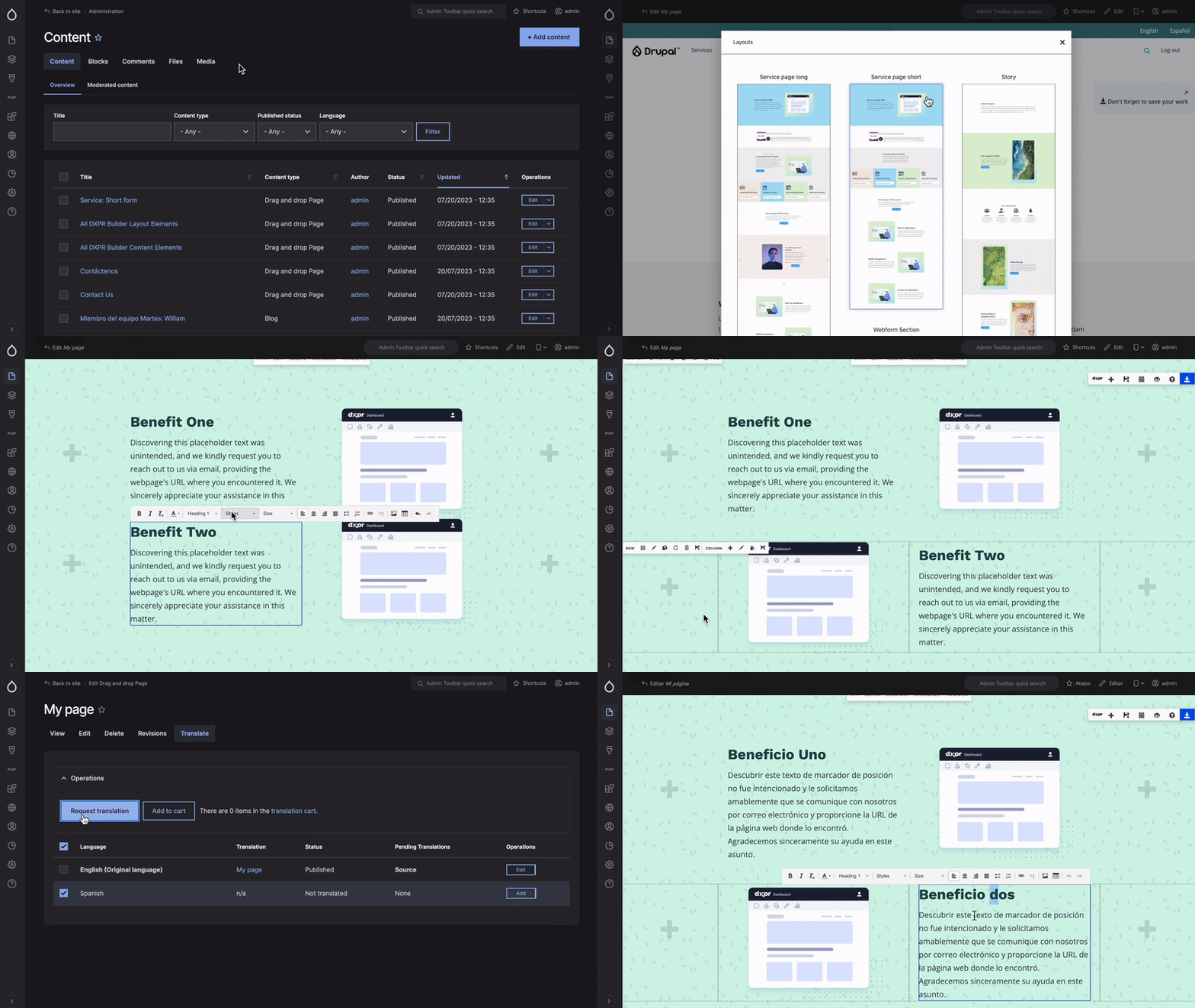
Multi-provider AI access for content creation, long-form articles, and adaptive content that adjusts to audience and platform needs.
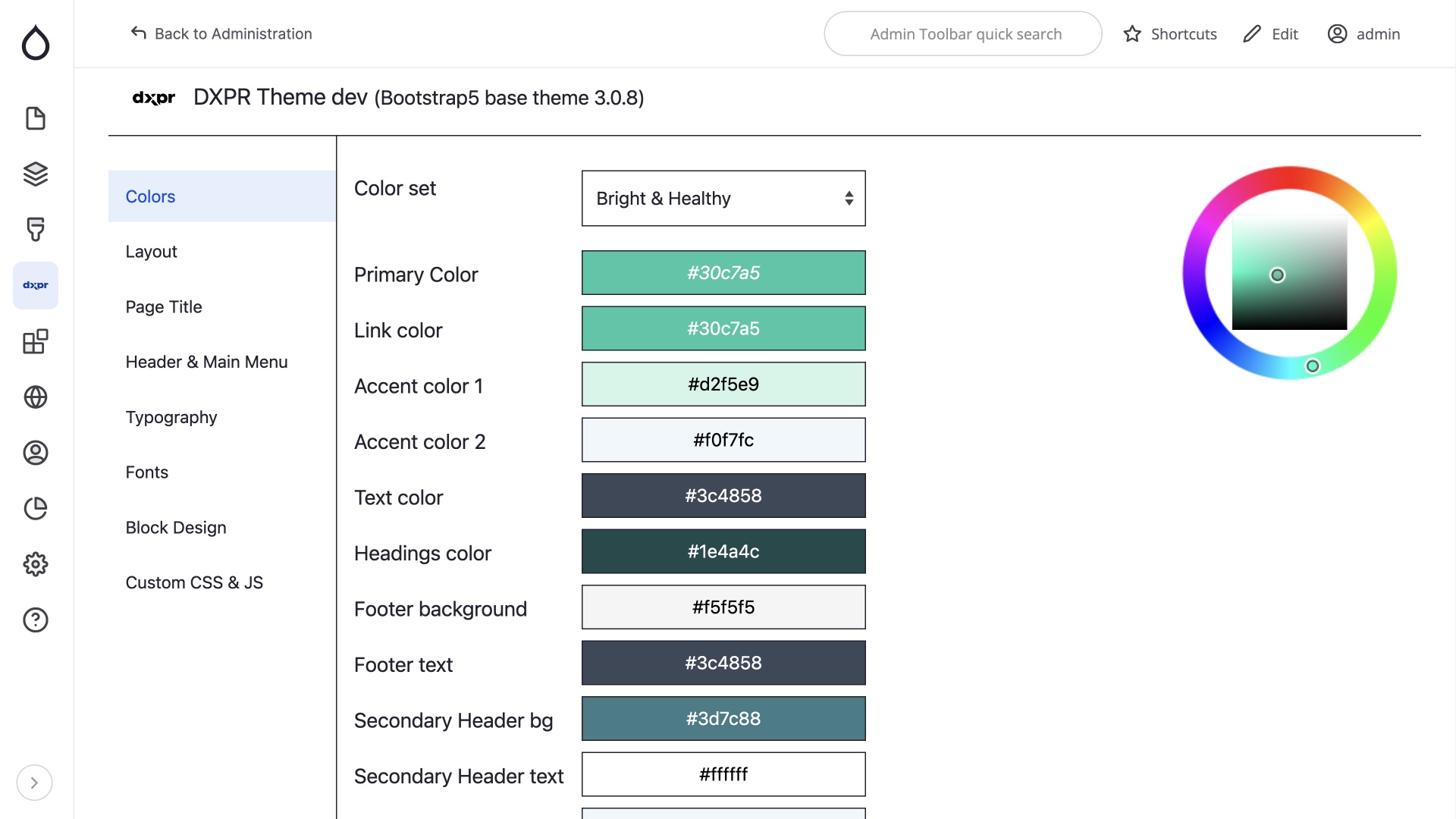
Start with DXPR Theme's premium design foundation. Customize global branding, colors, and styling in real-time through an intuitive interface that maintains visual consistency across your entire site.
Built on Drupal's proven architecture with modern enhancements including automated security updates, privacy-first compliance tools, and performance optimizations that scale with your business.
DXPR Builder revolutionizes content creation with intelligent failover technology across all major AI providers.
Never experience AI downtime again. DXPR AI provides free access to OpenAI, Claude, MistralAI, Google Gemini, XAI, and Perplexity with intelligent routing ensuring continuous productivity.
Generate factually accurate content with our unified research layer powered by Perplexity AI.
DXPR CMS integrates Thompson Sampling reinforcement learning algorithms through our RL module and AI Sorting plugin. This implementation automatically optimizes content performance by learning from user interactions across News, Blog, and Case Study views.
Our reinforcement learning system powers intelligent content ranking in "Popular News," "Featured Posts," and "Related Content" blocks. Unlike traditional A/B testing that requires weeks for results, DXPR's implementation adapts instantly, shifting traffic to winning variations while minimizing lost conversions.
DXPR CMS includes comprehensive AI analysis modules that automatically evaluate and optimize your content quality, security, and marketing effectiveness. These intelligent analysis tools work behind the scenes to ensure professional standards and maximum engagement.
The AI Sentiment Analysis module automatically evaluates the emotional tone and reader perception of your content. This intelligent analysis ensures your messaging resonates with your target audience while identifying content that may need tone adjustments for optimal engagement.
Automated Content Security Audit and Content Marketing Audit modules provide continuous analysis of your content strategy. These tools identify potential security vulnerabilities, optimization opportunities, and engagement improvements without manual intervention.
DXPR Theme provides customizable design foundation with global branding controls, color management, and typography settings.
Long-form article generation and adaptive content for multiple platforms using AI content strategy modules.
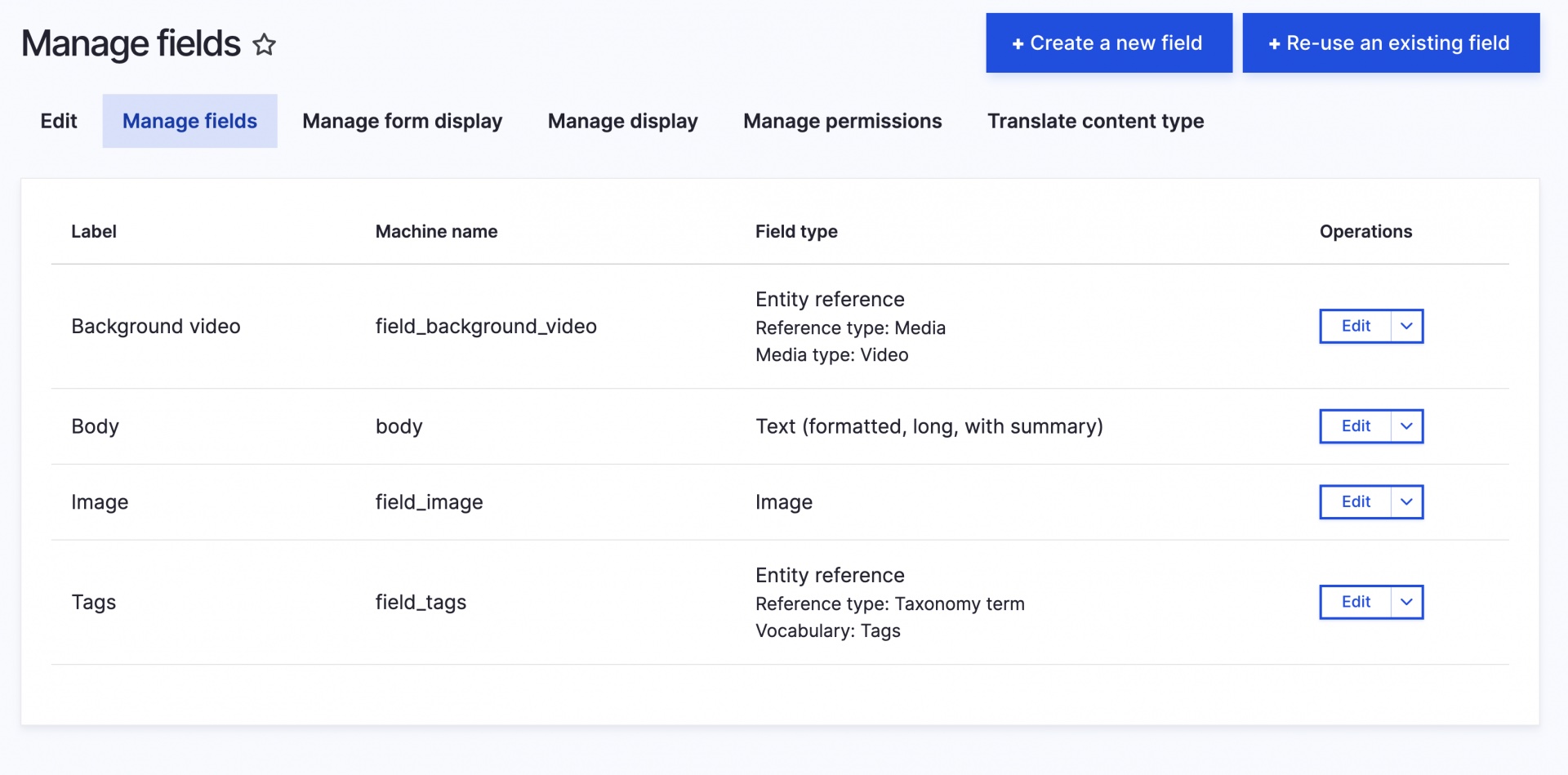
Comprehensive SEO tools with automated sitemap generation via Simple Sitemap module and integrated analytics.
Integrated SEO analysis with automatic meta tag generation, social media previews, and structured data markup.
Clean, SEO-friendly URLs are generated automatically with Pathauto. Redirect management prevents broken links, while automated sitemaps keep search engines updated with your latest content.
Google Tag Manager integration with Klaro consent management for GDPR compliance.
Full multilingual support with translation fallback hierarchies for regional language variants and AI-powered translation workflows.
TMGMT integration with AI Translate and AI TMGMT modules provides automated translation jobs through the DXPR AI platform, covering both content and configuration translation.
Easy Email replaces all plain-text core emails with themeable, responsive HTML email templates out of the box. No configuration needed; the Easy Email Express recipe handles the setup automatically.
Role-based permissions with Content Editor, Content Administrator, and Site Builder roles.

Organizations using DXPR technology include:
|
|
|
|
DXPR CMS includes built-in Agent Skills files that teach AI coding assistants how to install, configure, and manage your site through natural language. Compatible with Claude Code, Codex CLI, Gemini CLI, GitHub Copilot, Cursor, and other tools supporting the standard.
| Capability | What you can ask |
|---|---|
| Installation | "Install DXPR CMS with News, Events, and multilingual support" |
| Page Building | "Create a landing page for our spring campaign" |
| Content Management | "Add a testimonial content type with company and quote fields" |
| Theme Settings | "Set the header layout to centered and generate a warm color palette" |
| Views & Menus | "Create a view that shows the 5 most recent news articles" |
| A/B Testing | "Analyze the homepage hero experiment and show conversion rates" |
| Translations | "Translate node 42 to French and German" |
| Site Management | "Add a phone number field to the event content type" |
Example: building a Case Studies section from scratch
The AI assistant handles the entire workflow (content types, fields, views, page layout, and navigation) through conversation.
After installing DXPR CMS, enable AI assistant support:
drush dxb:setup-ai; drush dxt:setup-ai; drush rl:setup-ai; drush wm:setup-aigit clone https://github.com/dxpr/dxpr_cms.git
cd dxpr_cms
ddev start
ddev composer installDDEV configuration is included in the repository, so no manual ddev config step is needed.
After composer install finishes, complete the installation using one of the methods below.
Open your browser and navigate to the URL shown in the terminal output (typically https://dxpr-cms.ddev.site). The installation wizard lets you choose a site name, optional recipes, and enter your DXPR API key.
ddev drush site-install dxpr_cms_installer \
  dxpr_cms_installer_keys.dxpr_key='YOUR_DXPR_API_KEY' -y
Replace YOUR_DXPR_API_KEY with your key from app.dxpr.com/getting-started.
To include optional recipes, add them as a pipe-separated list:
ddev drush site-install dxpr_cms_installer \
  "installer_recipes_form.add_ons=Case Studies|Events|Forms|Google Analytics|News|SEO Tools|Multilingual" \
  dxpr_cms_installer_keys.dxpr_key='YOUR_DXPR_API_KEY' -y
Use "installer_recipes_form.add_ons=*" to install all optional recipes.
Once installation completes, drush prints admin credentials. To access your site:
ddev drush user-login
ddev launch
You can also log in manually at https://<project-name>.ddev.site/user/login.
ddev drush recipe ../recipes/dxpr_cms_case_study
ddev drush recipe ../recipes/dxpr_cms_events
ddev drush recipe ../recipes/dxpr_cms_forms
ddev drush recipe ../recipes/dxpr_cms_news
ddev drush recipe ../recipes/dxpr_cms_multilingual
ddev drush recipe ../recipes/dxpr_cms_google_analytics
ddev drush recipe ../recipes/dxpr_cms_seo_tools
ddev drush recipe ../recipes/easy_email_expressWhen including the Multilingual recipe via command line, specify additional languages with their language codes:
ddev drush site-install dxpr_cms_installer \
  "installer_recipes_form.add_ons=Multilingual" \
  "dxpr_cms_installer_multilingual_configuration.additional_languages.nl=nl" \
  "dxpr_cms_installer_multilingual_configuration.additional_languages.de=de" \
  "dxpr_cms_installer_multilingual_configuration.additional_languages.fr=fr" \
  "dxpr_cms_installer_multilingual_configuration.additional_languages.ar=ar" \
dxpr_cms_installer_keys.dxpr_key='YOUR_DXPR_API_KEY' -yDXPR CMS includes 90+ carefully selected Drupal modules organised by functionality to provide comprehensive capabilities out of the box: